
I'm a heavy AI user. I eat AI for breakfast, I have AI for lunch, and AI for dinner. I pay for Claude Code, Codex, and Grok, and I have paid credits to use more models on demand. AI has made me more efficient than ever, but to get there, I previously experimented a lot until I was able to build my own framework to work on multiple tasks in parallel and actually deliver.
The main character in this story is Herdr. @herdrdev is one of those things that you read that they exist and what they do, but you say "meh, I don't understand how that could help me leverage my work", but once you try it, it opens your eyes.
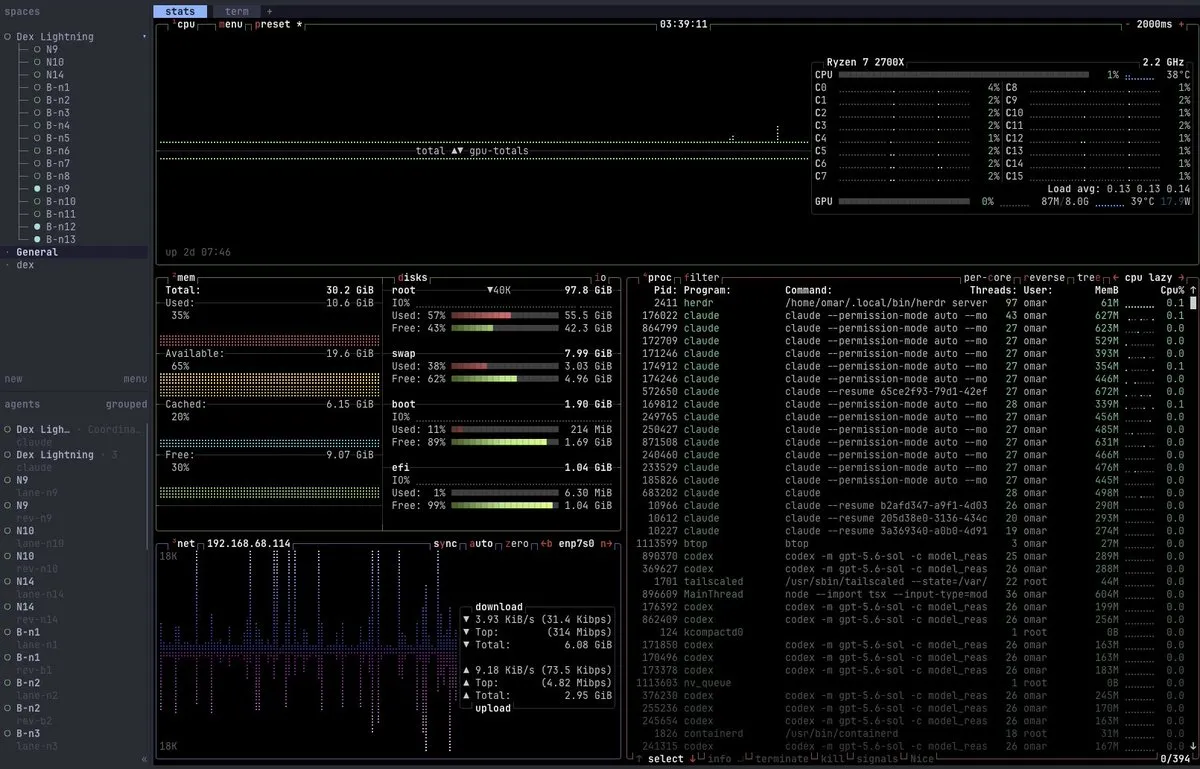
For those that used tmux at some point, you'll find herdr familiar, is a terminal multiplexer, if you run it locally in your computer it will help you organize your workspace with tabs, spaces and agents. You'll receive notifications when an agent needs your attention or it finished its work. It is just the initial step in order to be able to manage multiple agents at the same time.
You can install herdr running:
curl -fsSL https://herdr.dev/install.sh | shOne of the features of herdr is the ability to spawn more panes, tabs, spaces and sub-spaces using the command line, so for example if you just finished your work in claude, but want a review from codex, then you spawn another pane:
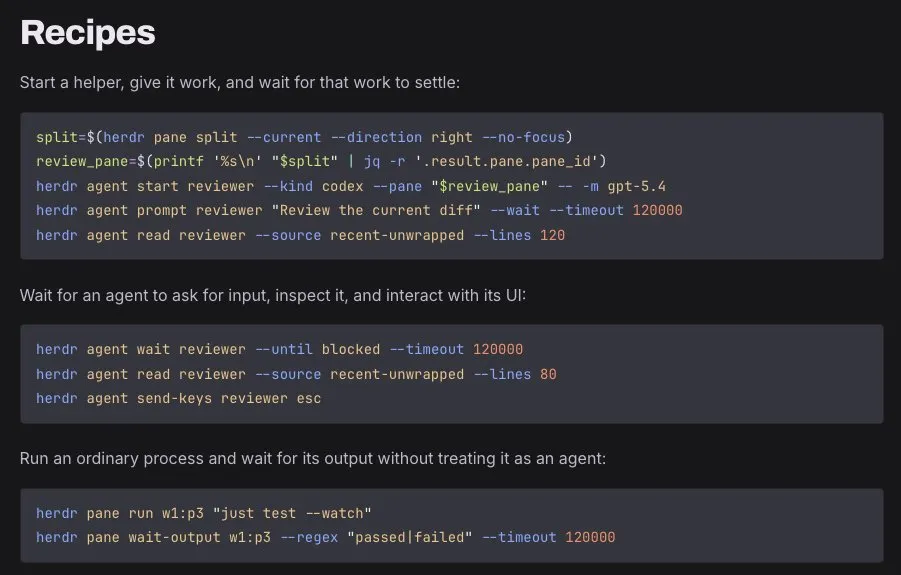
Recipes from herdr docs
So, with this power, and knowing that your agents can a ctually use the terminal, then you can guess the next step: Let your agent control your herdr. And this is SUPER easy to achieve, just install the official herdr skill.
npx skills add herdrdev/herdr --skill herdr -gSo, with the skill installed, just open your agent inside your herdr instance
$ herdr$ claudeAnd claude is now able to control your spaces, agents, tabs, panes AND OTHER AGENTS.
Fable 5.1 as Coordinator
My framework is based on a collection of tools:
- Github (and gh-cli)
- Linear
- Claude Code
- Codex
- Herdr
In Claude Code and Codex I have installed the Linear MCP, and obviously I'm authenticated in the Github CLI.
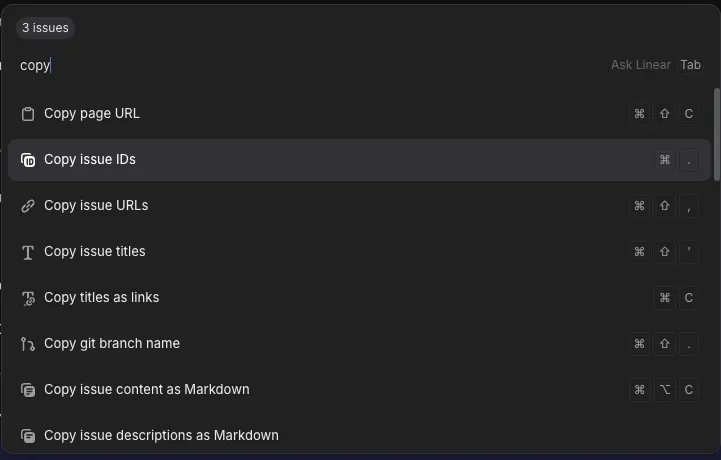
In Linear I have my tickets well-defined, with all the context that the agent could need to deliver its work, at this point is as easy as going to linear, select a couple of tickets, cmd+k -> copy ids, going to herdr with claude with Fable 5.1 open and asking something like:
Use the herdr skill to spawn multiple full claude code (with Opus 5) and codex (With GPT Sol 5.6 xhigh) agents in round robin to tackle this list of linear tickets:
LIN-001
LIN-002
LIN-003
...
You'll be validating the tickets, tracing the implementation plan and coordinating the implementation in isolated worktrees and requesting adversarial reviews once each agent finishes its work. If something is done by claude, request adversarial review from codex, if codex is the implementer, then request adversarial review from claude.
This is an example prompt, feel free to update to your needs, add more mcp servers for more context (i.e. figma, sentry, whatever). If you have the gstack, their `/review` skill is pretty good at this adversarial reviews.
Fable 5.1 is pretty good at understanding things so, it will make a good initial plan and just monitor other agents for delivering a good job.
The problem of running locally
This workflow works, and works pretty well, but there's an Issue I faced: Agents needs a lot of resources to run. So you end pretty quick dealing with closing apps in order to let your agents deliver their work in parallel and making you the 100x developer that you deserve to be.
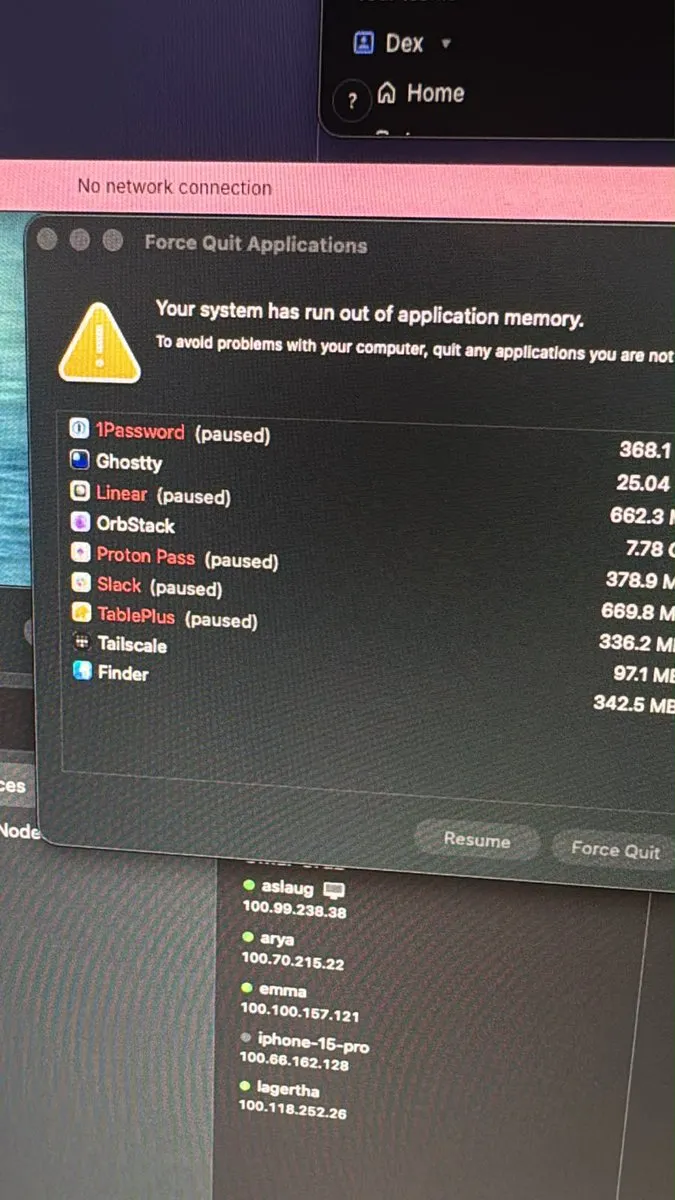
Do you know where I can download more RAM?
But here we have again herdr. One more of the herdr features is that you can run it, then close it, then open it again and your work won't be lost. It runs in the background, even closed. That means that you can have a remote server, vps, whatever, ssh into it, (install and) run herdr and your agents there, disconnect and it will continue working without using your computer resources. Magic ✨.
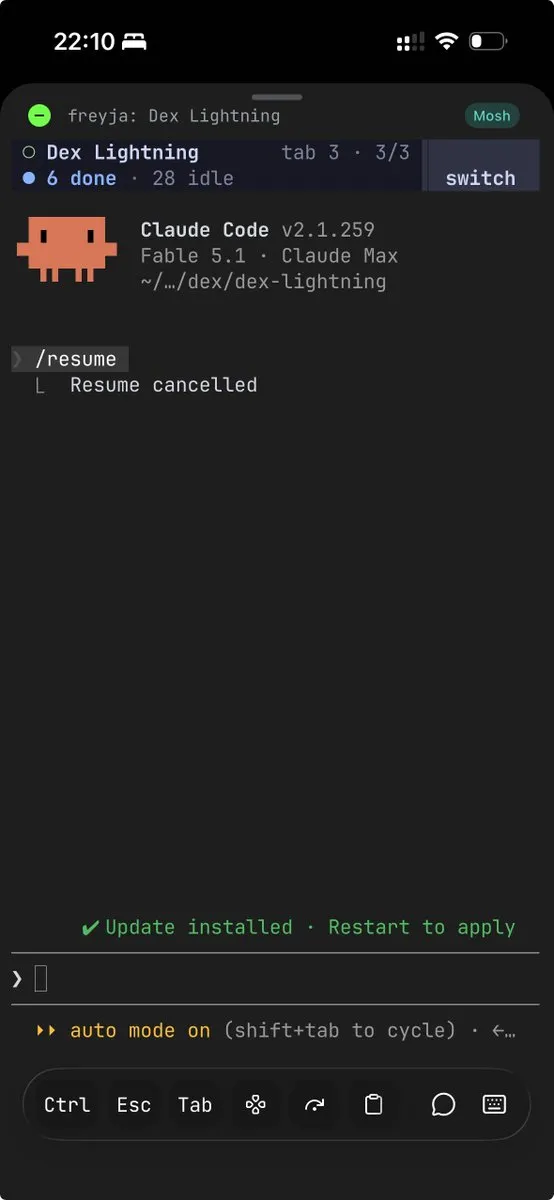
You can even use in your phone an ssh client like Moshi and you'll quickly realize that herdr is responsive lol and you'll feel pretty comfortable at managing your agents from your phone. Magic x2 ✨.
Pro tip: @Tailscale is your friend.
One more thing…
Herdr (yes, again) has one feature more, that runs a thin client in your local computer, and connects to the remote herdr server and let you handle the clipboard, paste images, and work in a complete local-like instance, but running remotely. This is just the jewel in the crown.
herdr --remote workbox # Tailscaleherdr --remote ssh://you@server:2222 #SSHThere are many more things that I don't cover here, but only actually feeling it, you'll feel the power and you'll investigate more and more. I encourage you to adapt this to your own workflow, and you'll never look back.
Yes, this was fully written by hand, ironically.